The Five Numbers on a USB-C Cable That Decide Whether It Works
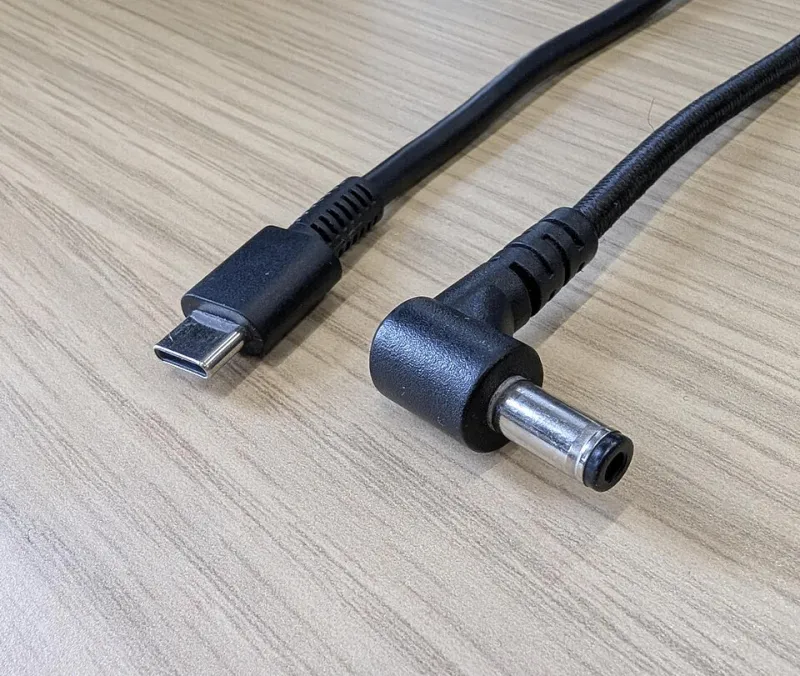
Photo: Harry Bond, CC BY 4.0, via Wikimedia Commons
Every USB-C cable looks identical. Same oval connector, same braided jacket, same vaguely premium packaging. And yet two cables that appear interchangeable can differ by a factor of five hundred in data throughput and by a factor of sixteen in power delivery.
That was already annoying. In 2026 it is worse, because the spec has quietly expanded in both directions at once. Cheap cables got cheaper and more common, 240W charging went mainstream, and USB4 Version 2 arrived with a passively cooled cable length limit short enough to surprise people. Retailers, meanwhile, keep burying the one line that matters somewhere in the fourth bullet of a product listing.
The good news: you do not need to memorize the standard. You need five numbers. Here they are.
Label 1: The data speed
This is the number retailers hide hardest, because most bundled cables are slow. If a listing says nothing about speed, assume 480 Mbps — USB 2.0, the same rate as a cable from 2002. That is fine for charging a phone and genuinely painful for moving a 40GB video folder.
The ladder you will see on packaging:
- 480 Mbps — USB 2.0. Charging cable. Often what comes in the box.
- 5 Gbps — USB 3.2 Gen 1, sometimes still called USB 3.0 or SuperSpeed.
- 10 Gbps — USB 3.2 Gen 2.
- 20 Gbps — USB 3.2 Gen 2x2, or USB4 on a shorter cable.
- 40 Gbps and up — USB4 and Thunderbolt territory.
A naming note worth internalizing: USB 3.2 Gen 1, USB 3.2 Gen 2, and USB 3.2 Gen 2x2 are 5, 10, and 20 Gbps respectively. The generation number is not a speed ranking. Look at the Gbps figure every time.
Label 2: The wattage, and the chip inside
USB-C power delivery has three useful tiers in the US market right now: 60W, 100W, and 240W.
- 60W cables carry 3 amps at 20 volts. Fine for a phone, a tablet, a thin laptop.
- 100W cables carry 5 amps. This is the one to buy for a laptop dock or a MacBook-style machine.
- 240W cables use Extended Power Range, pushing 48 volts at 5 amps. They are what a current-generation gaming laptop or a high-end workstation brick wants.
Anything above 60W requires an e-marker chip buried in the connector that tells the charger how much the cable can safely handle. No e-marker, no 100W, regardless of what the listing claims. This is also why a random USB-A to USB-C cable will never fast-charge a laptop — the A end caps out around 3 amps and has no way to negotiate EPR.
One practical catch: passive 240W cables are generally limited to about a meter. If you want a long 240W run, expect an active cable and a higher price.
Label 3: USB4 or Thunderbolt
Both mean fast, but they are not the same badge.
Thunderbolt 4 guarantees 40 Gbps, dual 4K display support, and PCIe tunneling. Thunderbolt 5 raises the ceiling to 80 Gbps, with a bandwidth-boost mode that can push higher for displays. USB4 is the more open cousin — it can be 20 Gbps or 40 Gbps, and the certification does not automatically promise every feature.
For a desk setup, the safe rule: if you are buying a cable to feed a dock with multiple monitors, buy a certified Thunderbolt or USB4 cable, and buy it short. Passive USB4 cables top out around 0.8 meters. The three-foot braided cable in the discount bin is probably not certified for anything, and the fact that the connector fits is not evidence.
Label 4: Display support
This is the label that trips up monitor owners. A USB-C port can carry video over DisplayPort Alt Mode, but the cable in between has to actually have the high-speed wires for it. Plenty of 100W charging cables have the power pins and nothing else.
Look for explicit language: DisplayPort Alt Mode, DP 1.4, or a stated resolution and refresh rate like 4K at 60Hz or 8K at 30Hz. If a listing will not name a resolution, it will not drive your monitor.
Label 5: The certification logo and model number
USB-IF certification is not glamorous, but it is the difference between a cable that meets a spec and a cable that was extruded to look like one. Certified products get a trident logo, a certified-cable listing, and — most usefully for you — a traceable model number.
The fast test: search the model number plus the word certification. If nothing comes back beyond the seller's own listing page, treat the specs as marketing copy.
The fine print retailers bury
Three patterns worth recognizing.
Charging only. Some cables omit the data pairs entirely. They will not say so; they will say 100W fast charging in 72-point type and stay silent on data. If speed is missing from the spec block, that is your answer.
Cable and port conflated. A listing claims 40 Gbps because the laptop port supports it. The cable may not. Specs on a product page should describe the product.
The 2-meter trap. Long passive cables degrade fast data rates. A 2-meter cable advertised at 40 Gbps is either active or optimistic.
The cheat sheet
| What you are doing | What to buy |
|---|---|
| Nightly phone charging | Any 60W USB-C cable, 480 Mbps is fine |
| Charging a laptop | 100W cable with e-marker |
| Gaming laptop or 240W brick | 240W EPR cable, 1 meter or shorter |
| Moving big files to an SSD | 10 Gbps or better, USB 3.2 Gen 2 minimum |
| One cable to a multi-monitor dock | Certified Thunderbolt 4/5 or USB4, short |
| Driving a single 4K monitor | 10 Gbps cable with DisplayPort Alt Mode listed |
The 60-second buying checklist
- Does the listing state a Gbps number?
- Does it state wattage and mention an e-marker for anything over 60W?
- Is there a stated resolution if video is involved?
- Is the length within the passive limit for the speed you are buying?
- Can you find the model number on a certification listing?
- Is the return window at least 30 days?
Six yeses, buy it. Two or three, keep looking. The difference between a $9 cable and a $24 cable is rarely the cable — it is whether anyone bothered to tell you what is inside it.