Your Smart Plug’s Wattage Is Probably a Guess: A 20-Minute Calibration Reality Check
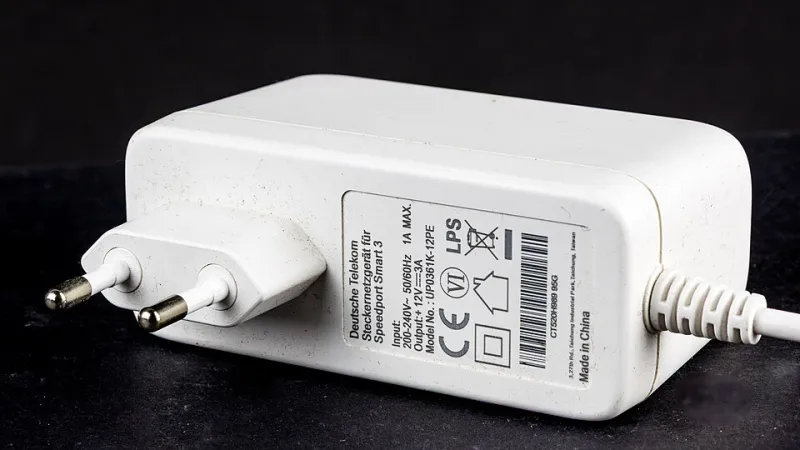
Photo: Raimond Spekking, CC BY-SA 4.0, via Wikimedia Commons
Smart plugs are the cheapest energy monitor most of us will ever own. They show watts in an app, tally kilowatt-hours, and promise to tell you what the space heater or the game console costs. The catch: many of those numbers are estimates from a low-cost current sensor, and at low wattage they can be rough. If you are using a $15 plug to decide whether a 12W router is worth unplugging, you may be doing math on a guess.
Why the wattage can be wrong
A smart plug does not measure watts directly. It senses current and voltage, then multiplies them to estimate power. A simple resistive load—like a heater or an old incandescent bulb—is easy for that math. Electronics with power factor correction, standby modes, and low current draw are harder. Some plugs have a minimum threshold and simply report 0W for a device that is definitely sipping something.
That does not make smart plugs useless. It makes them a trend tool, not a lab instrument. The fix is to calibrate against a load you can trust, then decide how much precision you actually need.
The known-load calibration test
Grab a resistive load with a trustworthy rating: an old 60W incandescent bulb, a 100W rough-service bulb, or a space heater on a fixed setting. Incandescent bulbs are scarce in 2026, but they are still sold for appliances and utility lamps. Avoid LEDs, dimmers, laptop chargers, and anything with a motor for the reference test. Those are exactly the loads that make cheap sensors squint.
- Plug the reference load into the smart plug, and plug the smart plug into the wall.
- Turn the load on and let it stabilize for two minutes.
- Note the wattage three times over five minutes. You are looking for a steady number, not a spike.
- Compare that reading with the nameplate rating. A 60W bulb that reads 55W is about 9% low.
- Repeat with a low load: a 10W LED bulb or a phone charger with a known draw. Note whether the plug reports 0W, jumps around, or settles on a number.
- Write down your correction factor: actual watts divided by reported watts.
Twenty minutes is enough to learn whether your plug is in the ballpark or making things up.
What accuracy should you expect?
At 100W and above, a decent smart plug can be within about 2–5%. At 20–50W, expect closer to 5–10%. Under 10W, all bets are off: 10–20% error is common, and some plugs stop registering below 5W. A plug that reads 0.0W for a 3W cable box is not broken. It is below its floor.
This matters because low-wattage devices are exactly the ones people buy smart plugs to investigate. A game console in standby, a router, a modem, a phone charger—these are small numbers, and small errors become large percentages.
Fix the numbers for cost math
Start with the basic formula: monthly kWh = watts × hours per day × 30 ÷ 1,000. Then multiply by your electricity rate. A 12W router running all day at 17 cents per kWh comes out to about 8.6 kWh and $1.47 per month. If your plug reads 9W instead, you will estimate about $1.10 and miss by a quarter.
For a load in the same range, apply your calibration factor. If the plug read 9W when the true draw was 12W, multiply its readings by 1.33 before doing the cost math. Do not apply a high-load correction to a 3W standby reading. The error changes with the load, which is why one calibration point is a reality check, not a certificate.
Where smart plugs still earn their keep
Use them for schedules, remote shutoff, routines, and big-picture trends. A smart plug is great at telling you that the space heater is the reason your January bill jumped. It is less great at telling you whether a 7W streaming box costs $2 or $3 per month. For billing-grade numbers, use your utility meter or a dedicated plug-in energy monitor with better specs. For low-wattage detective work, treat the smart plug as a rough guide.
A quick field checklist
- Calibrate with a resistive load, not an LED or a charger.
- Take at least three readings after the device warms up.
- Know your plug’s low-wattage floor.
- Apply the correction factor only to similar loads.
- Recheck after a firmware update or a move to a new outlet.
- Do not chase pennies with data that is only accurate to the nearest guess.
Bottom line
A smart plug’s wattage number is useful if you know what it is worth. Spend 20 minutes with a known load, write down the error, and adjust your cost estimates before you make decisions. At 9Wat, a watt is only helpful if it is honest.